 Pipeleap
 leap
Less adminMore selling time
AI overlay sales workspace
Your sales stack is expensive. Are you getting everything out of it? Pipeleap connects your sales technology, unifies the information inside it and takes on the operational work between tools, so your team spends less time managing software and more time selling.
[Works with your existing stack]
Your tools are connected. Your operations aren’t.
[The sales technology problem]
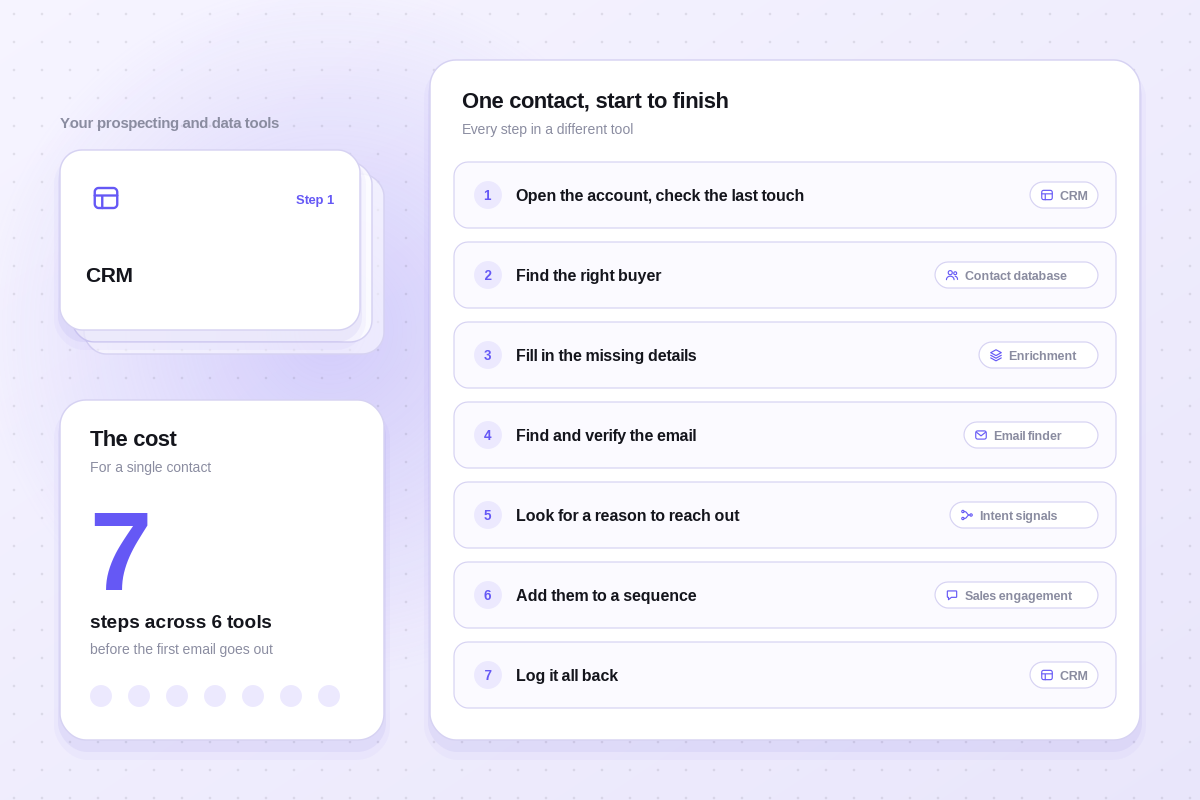
More sales tools were supposed to make selling easier. Instead, someone has to hold them all together, and that someone is your rep.
The cost isn’t on the invoice. Your software budget shows what you pay for each tool. It does not show the hours your team spends carrying information from one to the next, or the capabilities that never get used because of it.
PipeleapSales productivity and stack optimization
Don’t buy more tools. Get more out of the ones you already have. Your tools remain yours. Pipeleap makes them work better together.
How Pipeleap worksFour problems
[Why selling is getting harder]
Every tool was bought to solve a real problem. Together they created new ones, and none of them shows up as a line in the budget.
Capabilities
What Pipeleap takes off your team’s plate, every day.
[Reps review and decide. Pipeleap prepares.]
- Account discovery[ICP fit, scored]
- Account research[Context for every conversation, automated]
- Intel[Competitor intel carried into briefs, scripts and drafts]
- Contact enrichment[Automated, matched to buyer persona]
- Campaigns[Six campaign types, routed by job title]
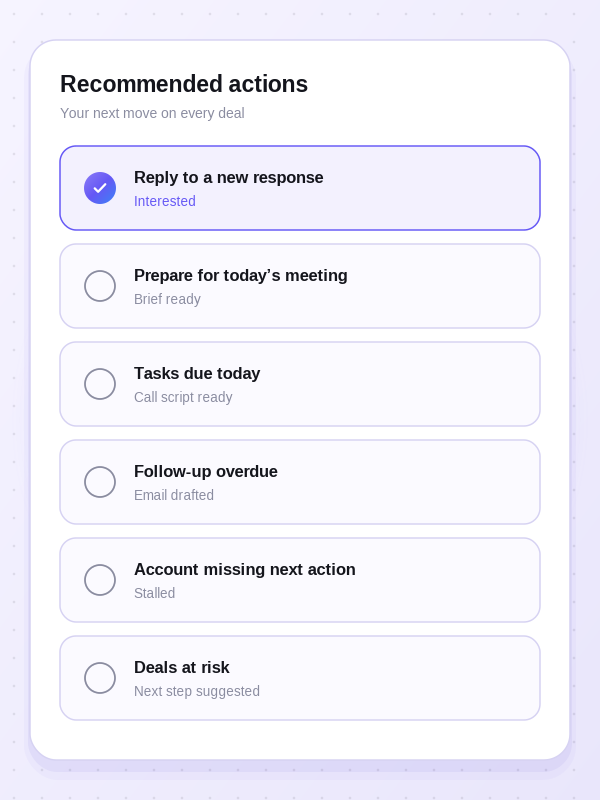
- Unified inbox[All work in one place, with next best action]
- Reply classification[Every reply sorted by intent, next step suggested]
- Calls and meetings[Scripts, briefs and live call transcripts]
- Pipeline and forecast[Drops flagged automatically]
- Daily reporting[Real-time analytics dashboards]
Connected Work
[Why integrations alone are not enough]
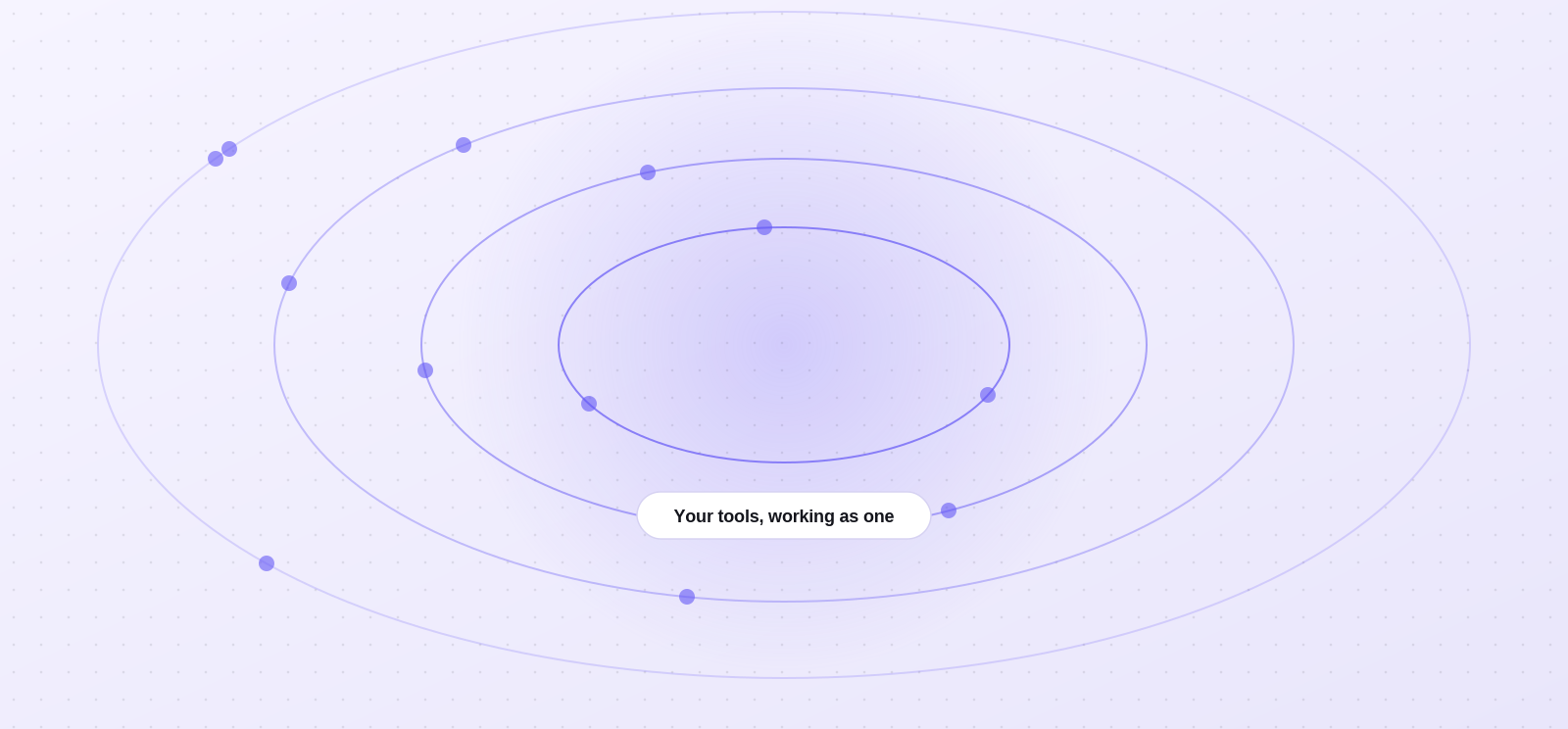
Your reps shouldn’t have to be the integration between your tools.
You may already have integrations between your CRM, prospecting and engagement platforms, and some teams have built impressive automation on top. Keep it. An integration moves a record from one application to another. It does not read the reply, prepare the meeting, write the follow-up or update the deal. That work between tools is what Pipeleap takes on.
Built for
Everyone who carries a revenue number, and everyone who keeps the systems behind it running.
-
Sales leaders
Capacity · Velocity · Return
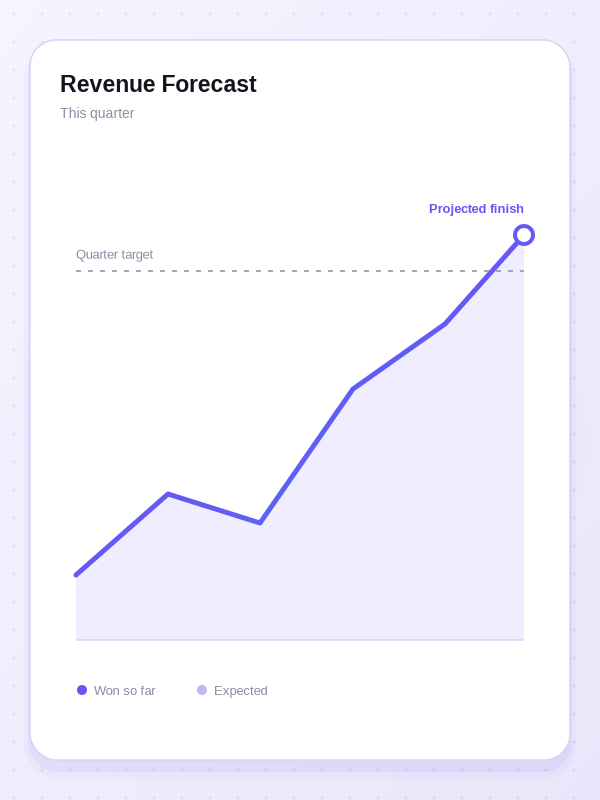
More selling capacity from the team and the tools you already have, with a forecast built on live activity.
-
Revenue and sales operations
Extend your workflows
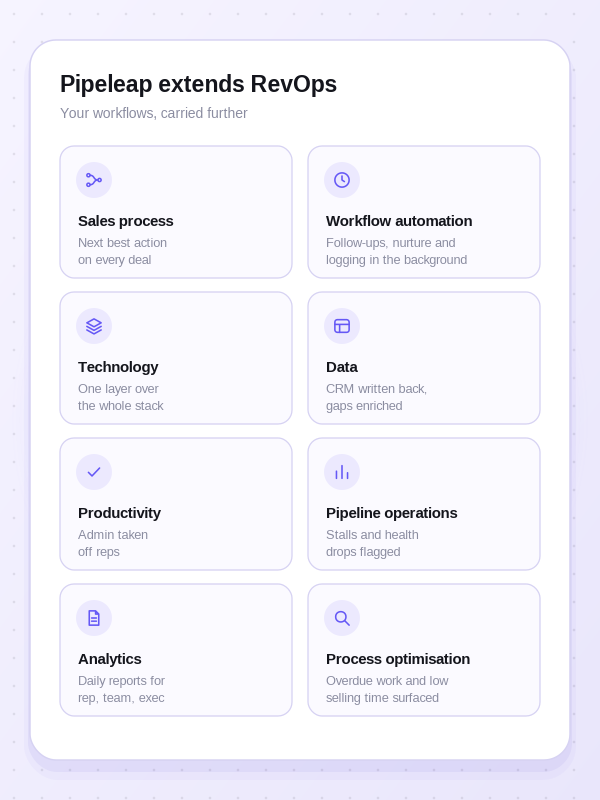
Your process, carried further. Pipeleap runs the follow-ups, data upkeep and reporting your workflows depend on, so RevOps designs the motion instead of policing it.
-
Sales managers
Team KPIs · Coaching
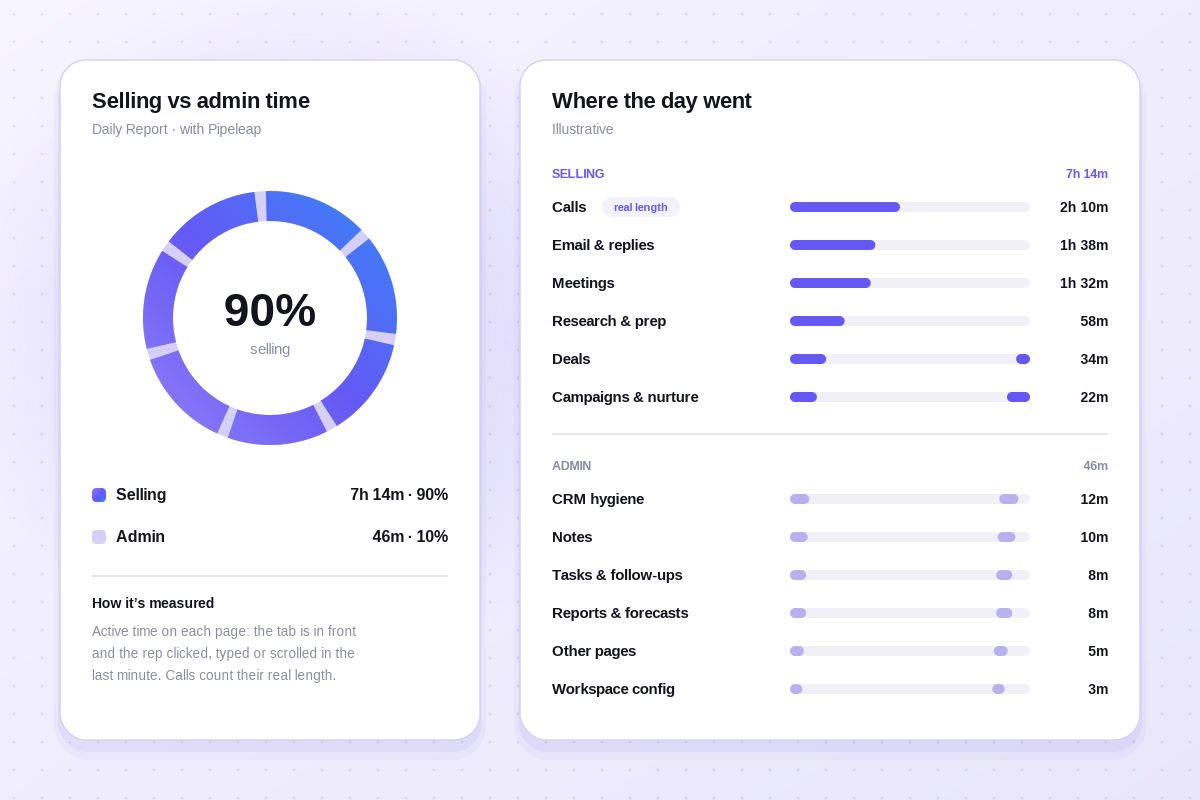
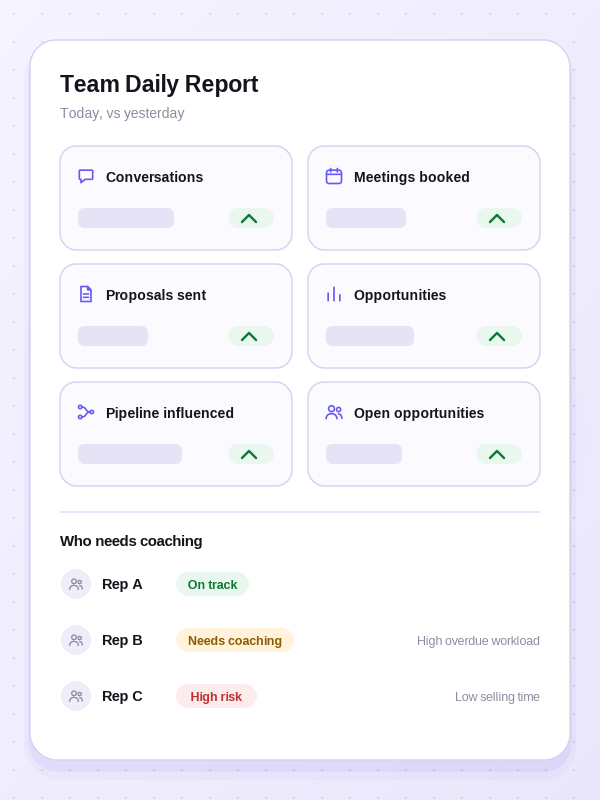
See who needs coaching and why, not just who made the most calls. Selling time, overdue work and deal movement for every rep, in one daily report.
-
Sales representatives
Fewer tabs · Less admin
Research, contact details, logging and the first draft are handled. You get a next action on every open deal.
Four steps from scattered tools to a connected sales operation.
Pipeleap sits on top of your existing sales stack. It reads from the tools you connect, prepares the work that follows from what it finds, and writes the results back to your CRM.
Book a walkthrough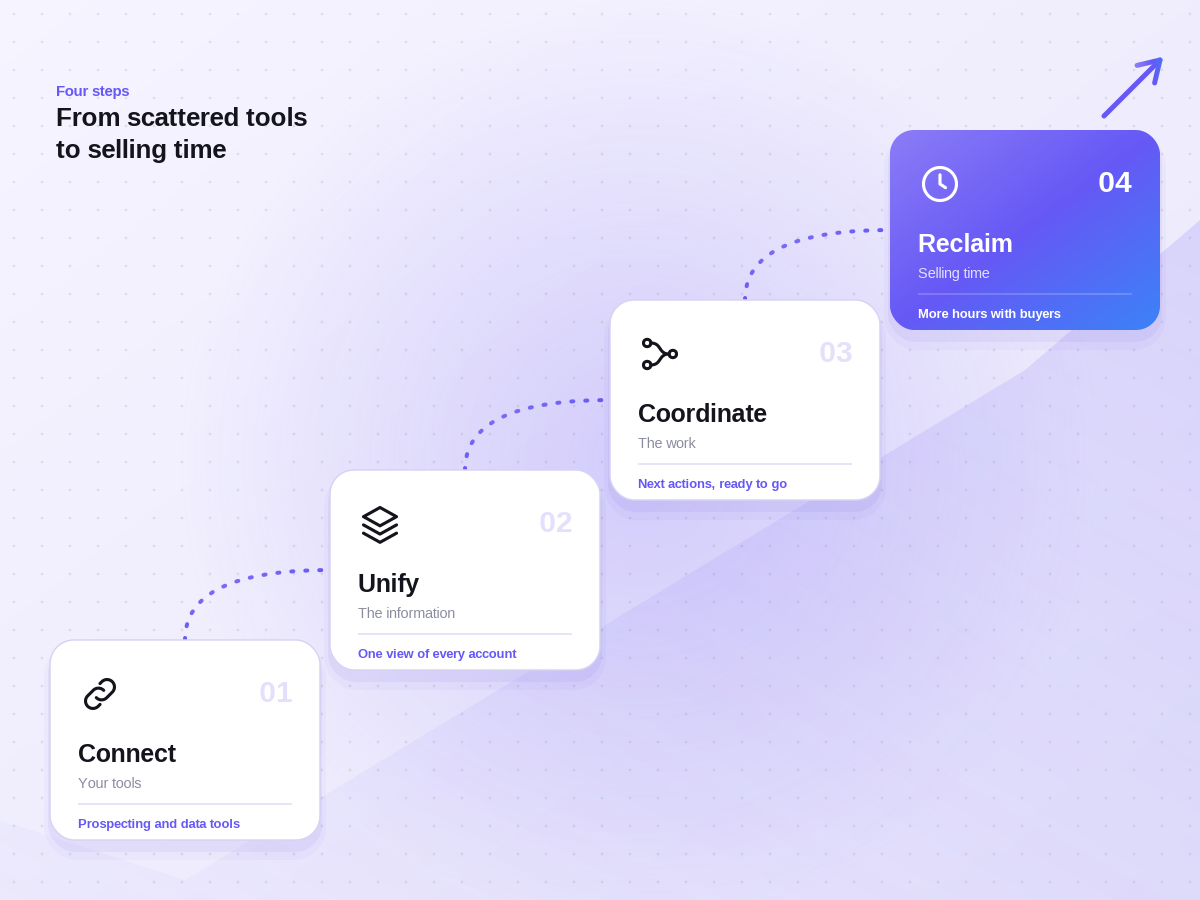
-
Step 1 · Connect
Connect your existing technology
Link your CRM, prospecting, email and calendar accounts. Your CRM remains the source of truth.
-
Step 2 · Unify
Unify sales information
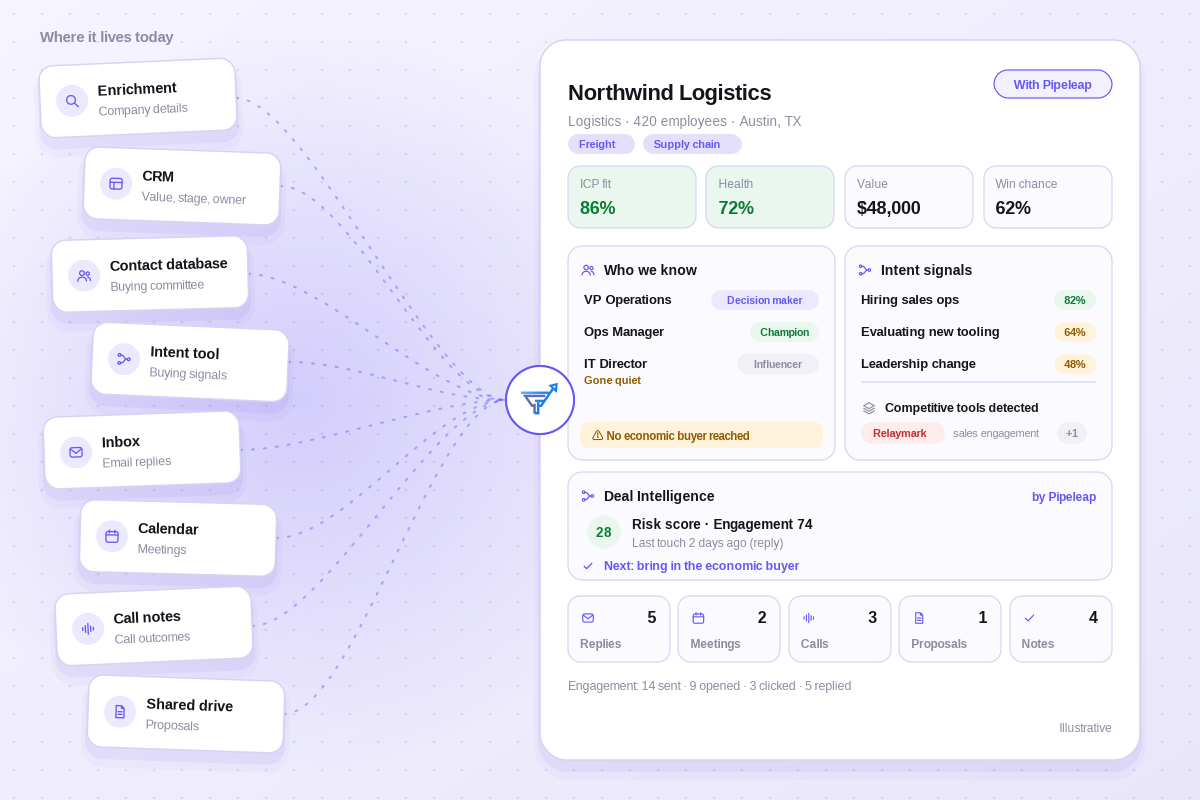
Accounts, contacts, deals, replies, meetings and call activity come together around each account.
-
Step 3 · Coordinate
Coordinate the operational work
Pipeleap prepares research, drafts, briefs and CRM updates, and puts the next action in front of the right rep.
-
Step 4 · Reclaim
Reclaim selling time
Reps review and act. Managers see what moved, what is waiting and how much admin came off the team.
Outcomes
Your sales technology budget should produce more than software subscriptions.
-
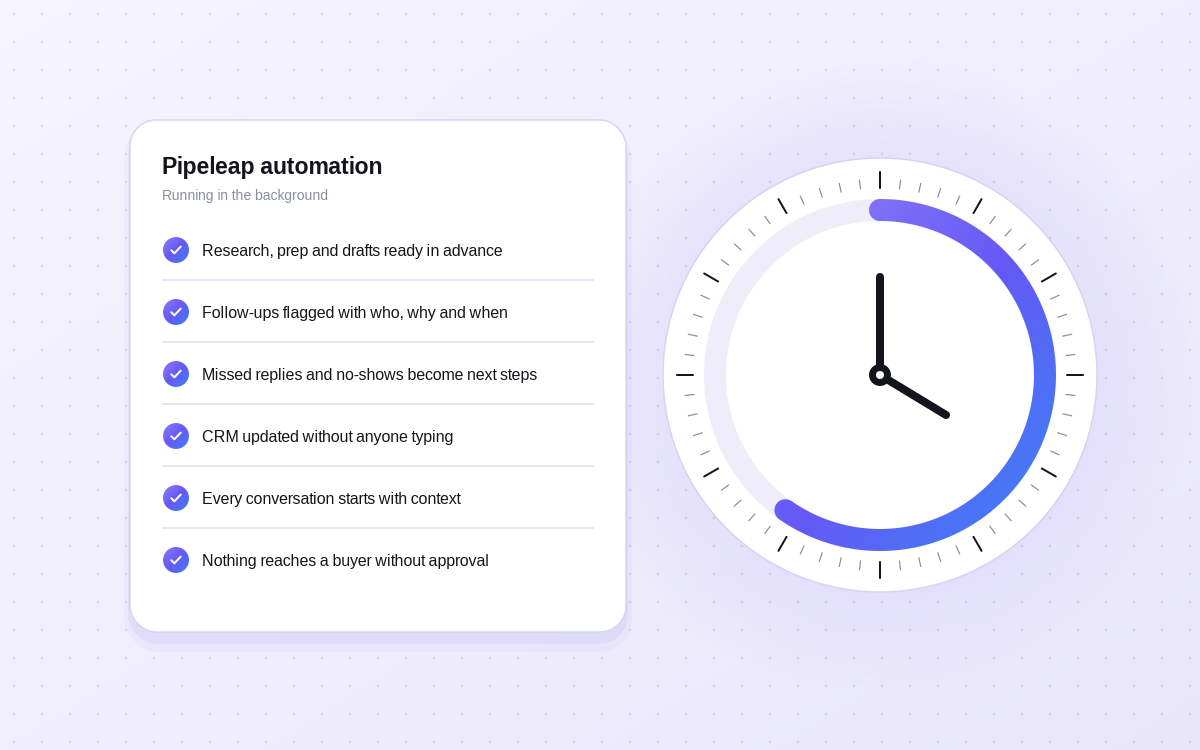
Reclaim selling time
Give reps their day back
You want reps selling, not updating systems. Imagine them in one tool, actions ready, filling your funnel.
-
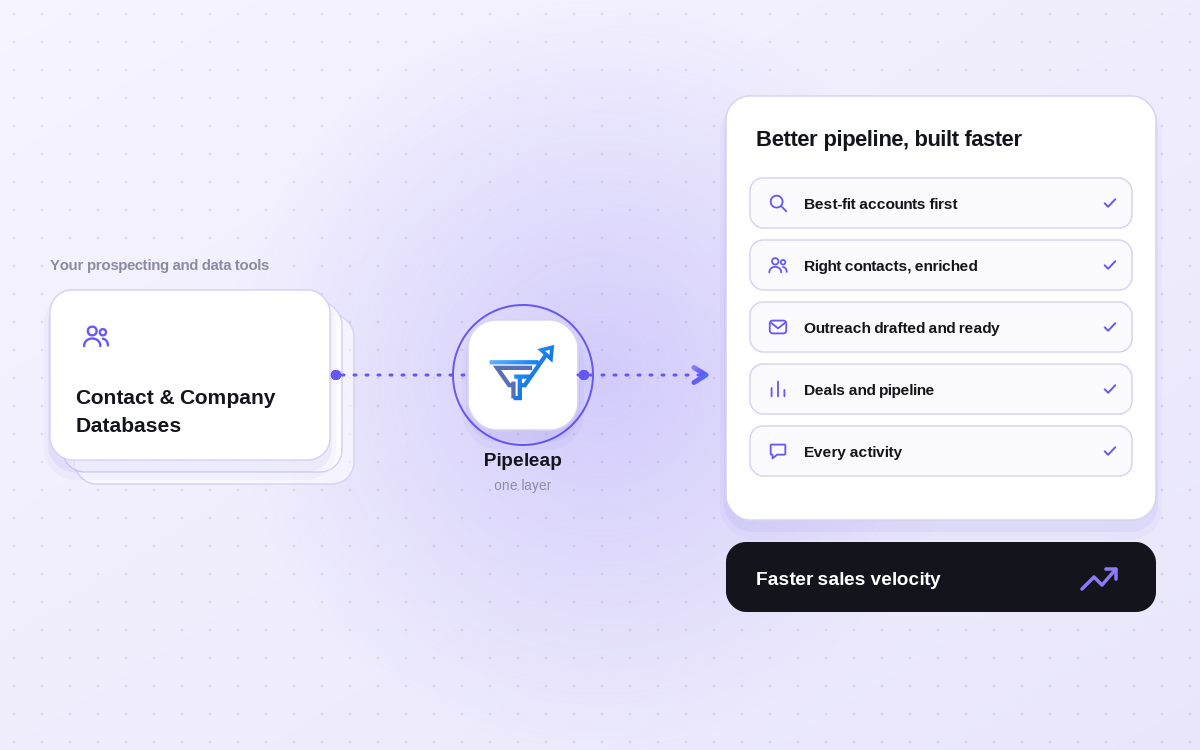
Unify your sales ecosystem
One place to work
Pipeleap sits on top of your prospecting and data tools and brings their data into one view, so reps build better pipeline and deals move faster.
-
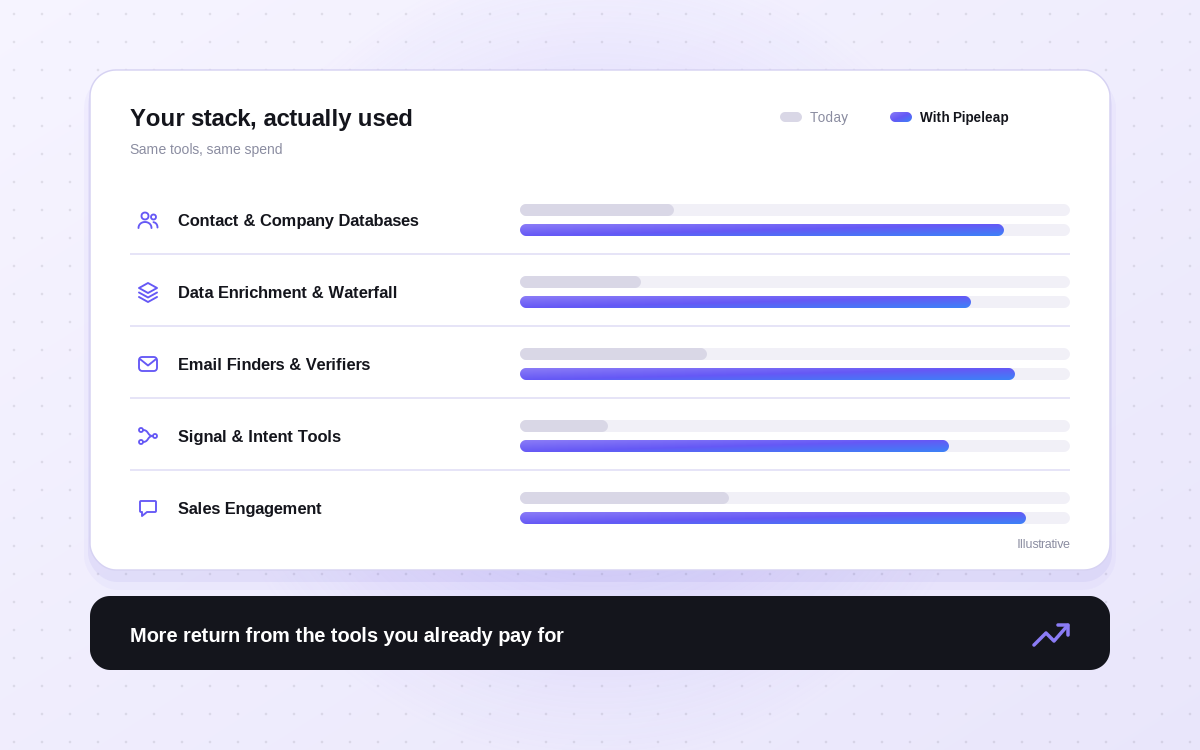
Maximize your technology investment
Use what you already pay for
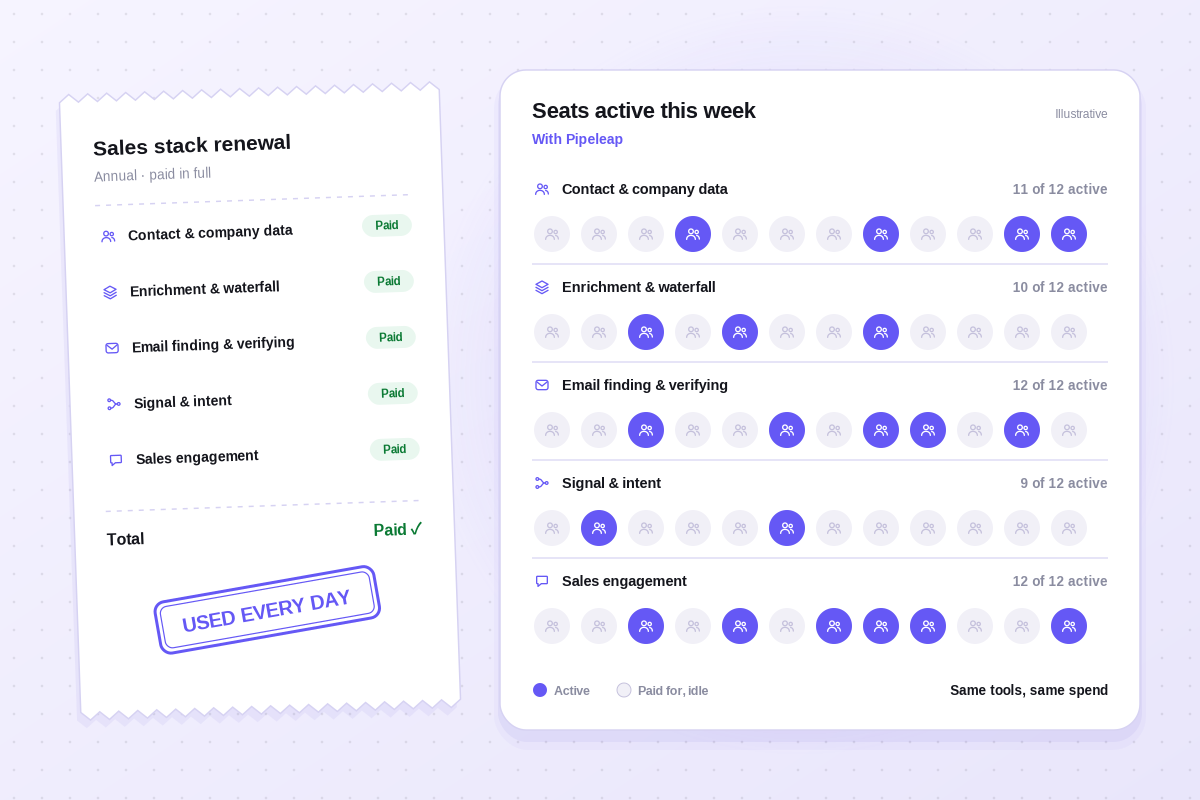
Capabilities in your existing tools get used every day because they run inside the rep’s workflow, not behind another login.
Questions
[Before you book]
We already pay for several sales tools. Why add Pipeleap?
Because the return on those tools depends on how much your reps use them. Pipeleap increases that use and removes the admin around it. If it does not create more value than it costs, it has not done its job.
We have integrations and automation in place. What does Pipeleap add?
Integrations move data between applications. Pipeleap handles the work that follows: research, drafting, preparation, follow-up and CRM updates. It works alongside what you have built.
Does Pipeleap replace our CRM?
No. Your CRM stays the source of truth. Pipeleap reads from it and writes activity back to it.
Do reps lose control of what gets sent?
No. Pipeleap prepares drafts and suggestions. Reps review and send.
How do you measure time saved?
Each completed piece of work is credited a fixed number of minutes, and reports mark every figure as measured or estimated. You can replace the default minutes with your own.
Which tools does it work with?
Pipeleap works on top of the prospecting and data tools your team already uses. We’ll show you how it fits your stack in the walkthrough.
More questions12
How long does it take to get running?
You connect the tools you already use, and there is nothing to migrate or rebuild. The walkthrough shows the exact steps on your own stack.
Will my reps actually use it?
They do not have to learn a new routine. Pipeleap puts the next action in front of them, and approving a draft takes less effort than writing one.
What happens to our data?
It stays in your CRM, which remains the source of truth. You set the roles, bring your own AI key if you want, and cap AI spend.
Can we trust what the AI writes?
Nothing reaches a buyer without a rep’s approval. Every draft is a starting point, not a send.
What does it cost?
It depends on your team and stack. In the walkthrough we set the cost next to what your idle licences and lost selling time already cost you.
Our CRM data is messy. Will that break it?
That is usually the reason teams start. Pipeleap flags gaps, retries failed syncs and keeps the CRM current as reps work.
Is this for a team our size?
If your reps use more than one tool to work a deal, the gap Pipeleap closes is already there, whether you have five reps or fifty.
Will managers use it to watch reps?
It shows where the time goes so managers can coach and remove admin, not to count keystrokes. Your team decides which pages count as selling time.
We’re in a busy quarter. Can this wait?
A busy quarter is when it matters most. Every week it waits, follow-ups slip, stalled deals go unseen and next quarter’s pipeline does not get built, and that shows up in revenue later. The walkthrough shows what it adds up to on your stack.
What if it doesn’t work for us?
Your tools and CRM stay exactly as they are, so stopping changes nothing you rely on. You keep everything Pipeleap wrote back.
What happens in the walkthrough?
We map your stack, show where the time goes, and run Pipeleap’s work on scenarios from your own tools. You leave with the numbers whether you buy or not.
Who should join the walkthrough?
Whoever owns the number and whoever owns the systems, usually a sales leader and RevOps. Together you see both sides in one session.
Your stack
Pipeleap works on top of the tools you already pay for. Nothing to replace, nothing new for reps to learn.
-
[Connects to]
The tools your team already runs
- Your CRM, the source of truth
- Contact & Company Databases
- Data Enrichment & Waterfall
- Email Finders & Verifiers
- Signal & Intent Tools
- Sales Engagement
- Inbox and calendar
[Reads and writes back]
See it on your stack -
[What changes]
One layer over all of it
- One place to work, not six tabs per contact
- One view of every account, from every source
- Licensed seats and capabilities used every day
[Same tools, same spend]
See the outcomes -
[Stays yours]
Your tools, your keys, your limits
- Your CRM stays the source of truth
- Your subscriptions and credits, under your own caps
- Bring your own AI key, if you want
- You set the roles, the AI spend cap and what counts as selling time
[Nothing to replace]
See how it works
Walkthrough
You don’t need more sales tools. You need more value from the tools you have.
A walkthrough is a working session on your setup, not a generic demo.
Book a Pipeleap walkthrough Or apply for a free founding pilot →- Your stack today
- Which tools you run and how your reps move between them.
- Where the time goes
- The operational work between those tools that falls on your team.
- What Pipeleap takes on
- The specific work it would do on your tools, shown in the product.
- The cost of waiting
- Every week without it, reps lose hours to admin, paid-for seats sit idle and deals move on partial information. We work out what that adds up to on your stack.